The problem has been solved and findit.lu is available again.
Le problème est résolu et le système est à nouveau opérationnel.
The problem has been solved and findit.lu is available again.
Le problème est résolu et le système est à nouveau opérationnel.
Due to technical problems findit.lu is not available at the moment. We are assuming that the problem will be solved before noon.
The blog will be updated as soon as findit.lu is accessible again.
We apologize for any inconvenience.
———
Pour des raisons techniques (panne de disques durs) le portail findit.lu n’est pas accessible pour l’instant.
On espère pouvoir résoudre le problème dans la matinée ; nous vous avertirons ici dès que le problème sera résolu.
Nous sommes désolés pour les désagréments.
Trouvez la version française ci-dessous

Findit.lu is pleased to announce the addition of PressDisplay, an online newspaper portal which offers more than 2.200 international newspapers and supplements in more than 54 languages. All titles are published in their original format and layout, including full text search and images.
The newspaper portfolio covers more than 90 countries including Luxembourg, France, Belgium, Portugal and Germany. PressDisplay provides access to newspapers on their publication day.
You would like to read last weekend’s issue? Don’t worry – our readers have access to up to 90 days (depending on title) of full back issues including job vacancies and property market.
Do you look for a specific article? Simply use the keyword full-text at the top of the website for performing a search based on issue, newspaper title, country or language. Articles, pages or custom areas within a page can be printed for private purposes.
A few examples of newspapers available on PressDisplay:
Please note that PressDisplay can only be accessed inside the buildings of the National Library and the University of Luxembourg.
All titles can be found in our eJournal search on findit.lu. PressDisplay can also be found by selecting the letter “P” via the “Find databases” tab. There is also a direct link: http://library.pressdisplay.com.proxy.bnl.lu
If you have any questions please check findit.lu/start and findit.lu/faq or send us en email at help@findit.lu . We look forward to hearing from you!
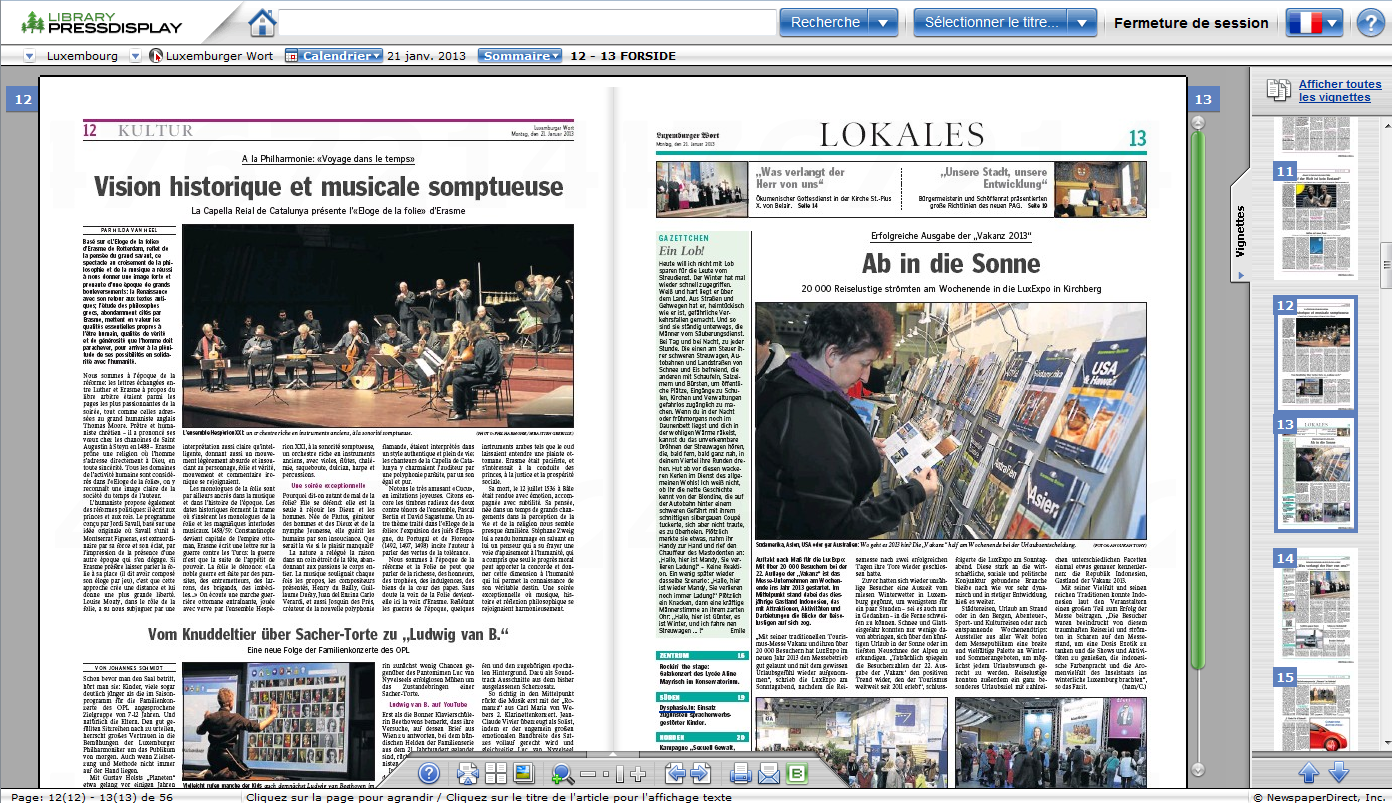
À partir du portail findit.lu vous avez maintenant accès à PressDisplay, offrant l’accès aux versions électroniques de plus de 2.200 quotidiens et suppléments du monde entier dans plus de 54 langues, dès le jour de leur parution, dans leur langue et leur format d’origine.
Une sélection de titres publiés dans plus de 94 pays sont disponibles, le Luxembourg, la France, la Belgique, le Portugal , l’Italie et l’Allemagne inclus. Leur lecture est facilitée par les outils de navigation et d’une interface simple à utiliser avec découpage par article.
Vous avez manqué le numéro du dernier week-end ? Pas de souci ! Les lecteurs de la Bibliothèque nationale et de l’Université du Luxembourg ont l’accès jusqu’à 90 jours (variable selon titre) d’archives complètes y inclus les petites annonces, le marché de l’emploi et le marché de l’immobilier inclus.
Vous cherchez un article spécifique? Vous pouvez rechercher dans le contenu en haut de l’écran pour effectuer une recherche basé sur numéro, titre du quotidien, pays ou langue. Des articles, pages ou sections individuels peuvent être imprimés ou téléchargés pour des raisons privées.
Quelques exemples qui sont disponibles sur PressDisplay :
Veuillez noter que PressDisplay est seulement accessible à l’intérieur des bâtiments de la Bibliothèque Nationale et de l’Université du Luxembourg.
Vous pouvez accéder aux titres soit en cliquant sur “PressDisplay” dans la liste de bases de données sous la lettre “P”, soit en cherchant les titres dans la liste de périodiques dans le portail findit.lu. Un accès direct est possible avec ce lien : http://library.pressdisplay.com.proxy.bnl.lu
Si vous avez des questions veuillez voir ici findit.lu/start et findit.lu/faq ou envoyez-nous un email: help@findit.lu.
Shortly before Christmas, Consortium Luxembourg is pleased to announce the addition of “The MIT Press eBooks Library – Computing and Engineering Collection”. This special collection features over 500 eBooks within the fields of computer science and engineering technologies, with approximately 40 new titles to be introduced each year. The collection features numerous titles that have won the American Publishers Award for Professional and Scholarly Excellence (PROSE). Each eBook meets The MIT Press rigorous review processes and the collection covers a wide range of technology disciplines including:
An advanced search engine will allow you to find and download specific chapters within eBooks that will be discoverable on the IEEE Xplore platform.
You can browse and search the eBooks by choosing “MIT Press” in the vendor section in our eBook search. Jump to eBook search.
For a full list of the eBooks available in this collection, click here.
Alternatively, you can select the “MIT Press eBooks Library-Computing & Engineering Collection” entry via the “Find Databases” tab under the letter “M” for accessing the platform.
 The eIFRS is the standard setting body responsible for the development of International Financial Reporting Standards (IFRSs), permitted or required by over 100 countries across the world.
Library members will now have immediate online access to all the most up to date material issued by the IASB (International Accounting Standards Board).
eIFRS comes with a powerful ‘Search Standards’ function and the standards are fully hyperlinked with cross references, searchable by issue date and much more.
You have exclusive online access to:
You can access the eIFRS database by clicking here.
“eIFRS – International Financial Reporting Standards” can also be found by selecting the letter “E” via the “Find databases” tab.
Consortium Luxembourg is pleased to announce the addition of ebooks of the European Mathematical Society to findit.lu.
This ebook collection of the European Mathematical society includes more than 100 works, all published between 2004 and the present. You will find, among others, Zurich Lectures in Advanced Mathematics, EMS Textbooks or IRMA Lectures in Mathematics and Theoretical Physics. All books can be downloaded as pdf.
For a full list of the ebooks available in this collection, click here.
These ebooks can be found in our ebook search as well. Alternatively, you can select the “EMS eBooks – European Mathematical Society” entry via the “Find Databases” tab under the letter “E”.
 After launching our new e-book search on findit.lu, we keep on increasing the number of e-books.
We are pleased to announce a trial of the EBSCOhost – eBook Collection. The Academic Subscription Collection is providing around 55 000 titles during the trial.
This package contains a large selection of multidisciplinary eBook titles that represent a broad range of academic subject matter, including art, business, education, literary criticism, philosophy, political science, religion, technology & engineering, and much more.
You can browse e-books by topic, search for individual titles or download them to portable devices.
During the trial the books won’t be available within the e-book search, but you can access the EBSCOhost – eBook Collection on findit.lu under the letter “E” on the “Find Database” tab.
Alternatively, you can directly start discovering here.
Need help? Download Ebsco’s User Guide here.
Frequent users of findit.lu and our blog may know our How to guides-series / Guides d’utilisation.
Since findit.lu evolved a lot during last year, we decided to revise these guides. Now we are proud to announce our new new tutorials for using findit.lu! We updated all the old How-to-guides and added new ones.
We changed the structure of our tutorials. As you can see in our blog’s navigation the old How-to-Guides tab disappeared, but the Help menu has 3 new sub-menus:
Get started, Basics and Advanced.
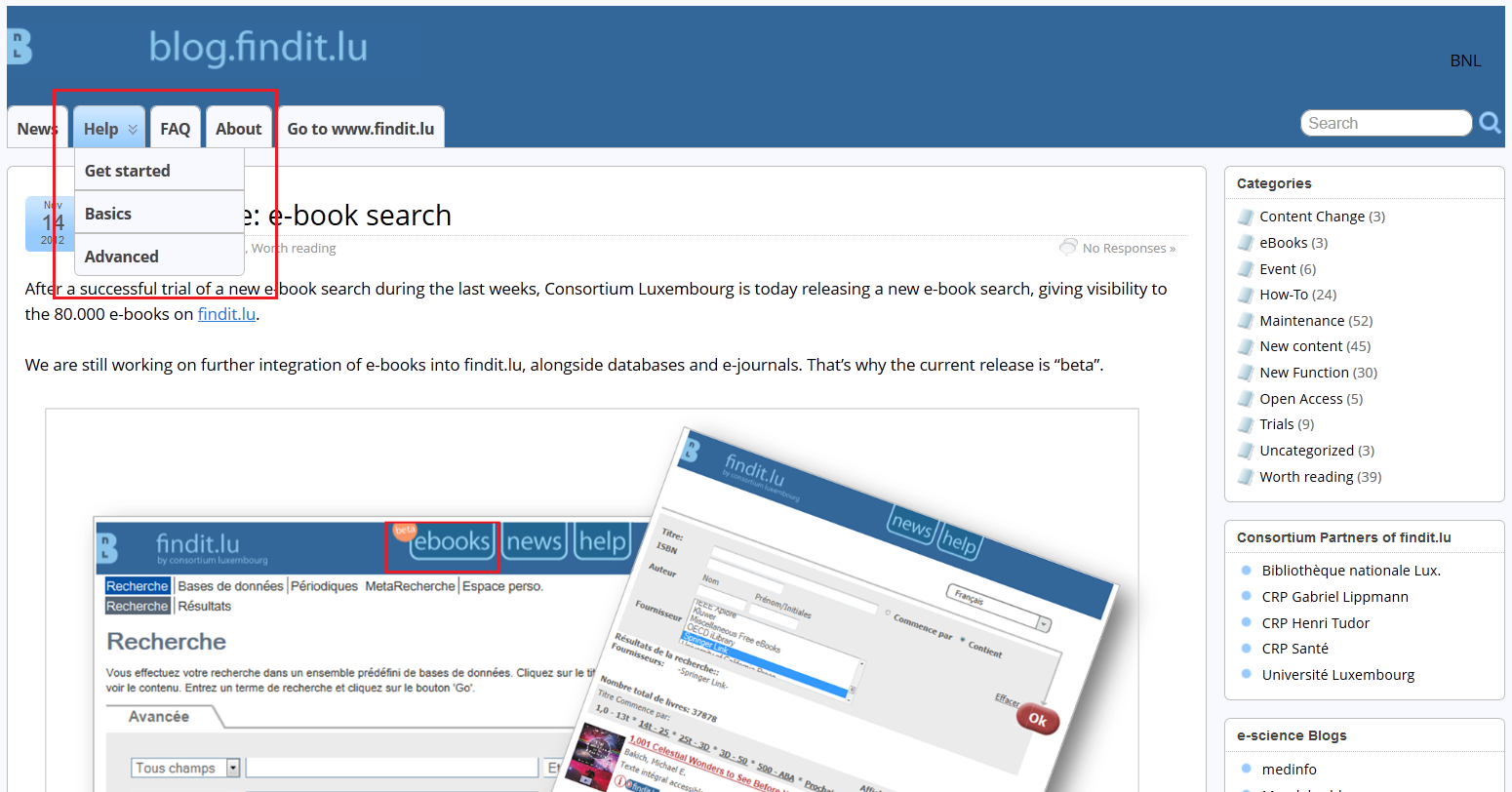
Under blog.findit.lu/start you will find out how to get your free library card and access to findit.lu.
In the Basics menu (blog.findit.lu/basics) you can explore the basic services findit.lu has to offer: Our episodes start with practical information: from how to search up to finding databases, journals or e-books, information on Interlibrary Loan and much more.
If you want to get the most out of searching with findit.lu, please visit the Advanced menu (blog.findit.lu/advanced). You will find several episodes about creating personal lists and saving searches which will make it easier to stay up-to-date and make your searches easier and more efficient.
All episodes are available in English and French. A German version will follow.
You can either read one episode after another, but since they are all linked to each other you can also simply explore them by topic.
Clicking on the help tab or going to blog.findit.lu/help itself will give you an overview of all episodes.
If you need further assistance such as lost passwords etc., please check our new FAQ tab or go to blog.findit.lu/faq.
After a successful trial of a new e-book search during the last weeks, Consortium Luxembourg is today releasing a new e-book search, giving visibility to the 80.000 e-books on findit.lu.
We are still working on further integration of e-books into findit.lu, alongside databases and e-journals. That’s why the current release is “beta”.
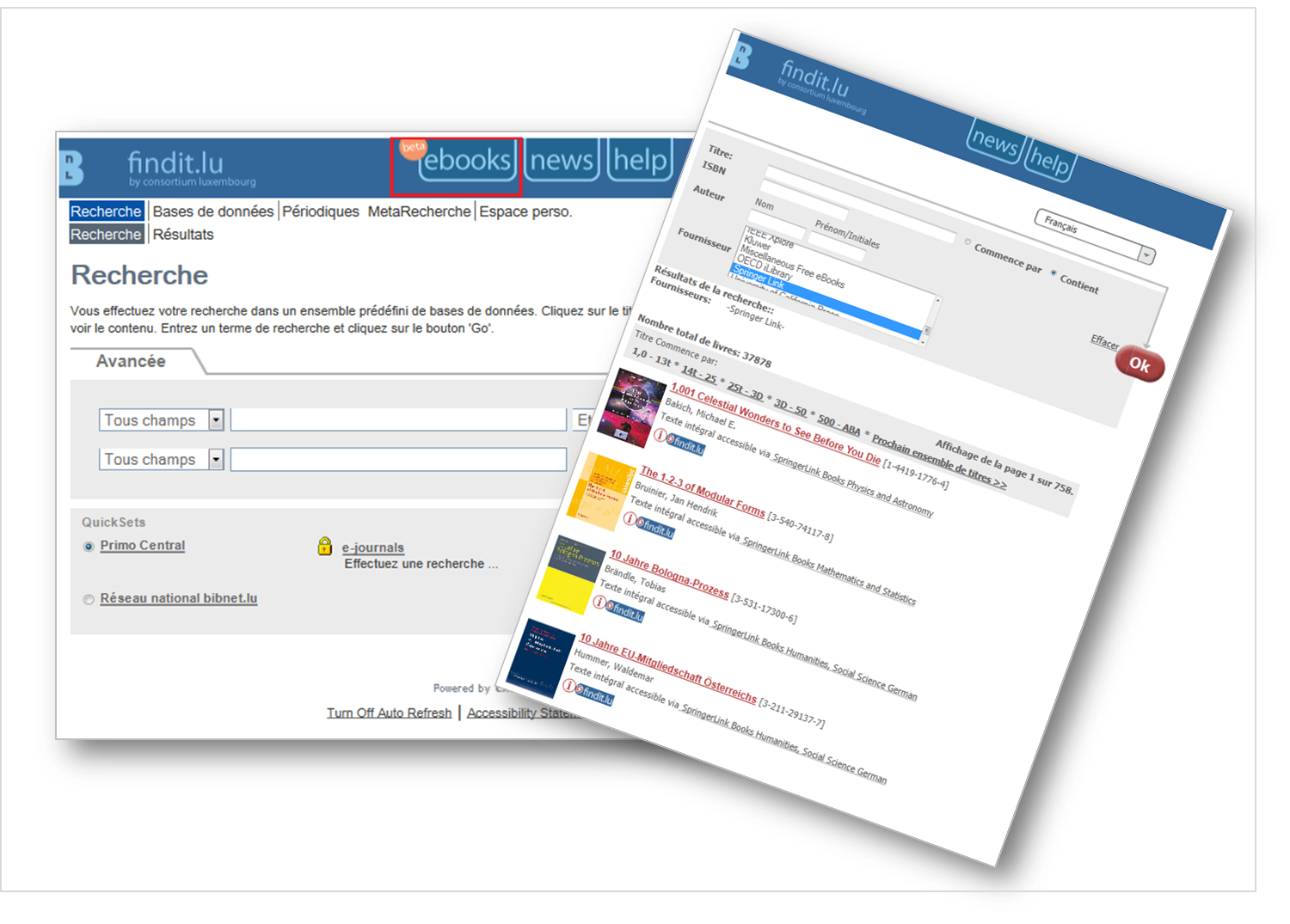 Simply click on the “ebooks”-tab which you will find at the top of findit.lu and check it out!
For a long time you only could search for e-books by using the “e-books” QuickSet on our main page. It could take some time to get back results and it was impossible to get an overview of all e-books available. This update gives you a new way to search for more than 80.000 current scientific and scholarly e-books by title, author, ISBN or publisher. Provided that the cover of the book is available, it will also be displayed in your search results.
The number of e-books will increase dramatically as we will be adding older, public domain books, including novels, which have been digitised by libraries around the world.
Please find a detailed tutorial for using the e-book search here.
If you have any questions or would like to provide us with feedback, please feel free to post your comments on this blog. We look forward to hearing from you!
Due to server updates findit.lu won’t be available next friday, 2nd november, between 7.00-8.00 h.
We apologize for any inconvenience.