New Function

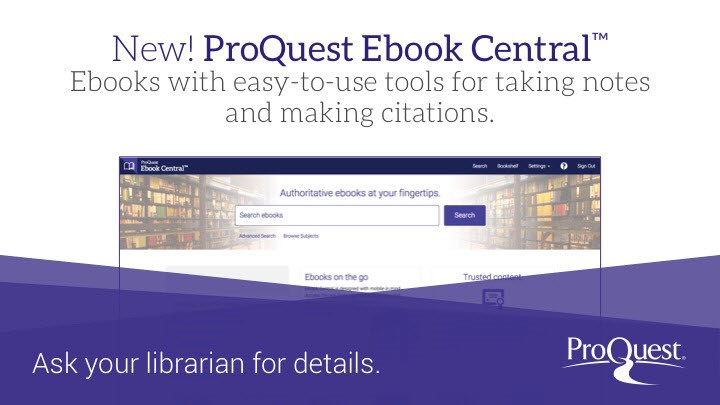
The new Ebook Central Reader App

We’re excited to let you know that our libraries now support the new Ebook Central Reader App – a faster, simpler way to download and read full ebooks from Ebook Central and Proquest One Business on your personal device.
Built with students in mind, the app replaces Adobe Digital Editions and makes offline reading easier than ever.

What’s New:

  • Download full ebooks directly to your device
  • Read anywhere – even without internet access
  • Built for accessibility, security, and ease of use

How to Get Started:

Follow the Installation guide. Watch this short walkthrough.

  1. Download the Ebook Central Reader App from the App Store (iOS), Google Play (Android), or install it on your Windows/macOS laptop.
  2. Go to Ebook Central and sign in with your library card credentials.
  3. Get a login code for the Ebook Central App (Profile – Manage your devices, see installation guide).
  4. Once you have borrowed a book in Ebook Central, it will automatically be visible in the Ebook Central App (same list as on Ebook Central platform Bookshelf – Downloads & Loans).

Need help? Visit the Ebook Central LibGuide or send an email to help@consortium.lu for guidance.

EBSCO eBooks Update: Introducing Thorium Reader for Offline Reading

EBSCO introduced a new way to download and read eBooks offline. This update replaced the current Adobe Digital Editions with a newer, more accessible solution.

Note: This update is only applicable to eBooks accessible on the EBSCOhost platform.

What changed?
EBSCO moved to a new Digital Rights Management (DRM) system called Readium LCP, along with a new reading application called Thorium Reader. Previously, downloading EBSCO eBooks required Adobe Digital Editions. With this update, you will instead download and open eBooks using Thorium Reader.

This transition is designed to improve both accessibility and usability, and provide a more flexible reading experience. Adobe Digital Editions proved to have many limitations especially for users who rely on assistive technologies.

What Do You Need to Do?
For online reading, nothing will change. You can continue reading eBooks in your browser.

To download full Ebsco eBooks for offline reading, you will now need to:

  • Install Thorium Reader
  • Create or log into your MyEBSCO account
  • Use the provided passphrase the first time you open a downloaded eBook

You will find more information here:

If you need any assistance, please don’t hesitate to send a mail to help@consortium.lu.

Retronews évolue !

Depuis février vous accez accès à la plateforme de référence de la presse numérisée de la Bibliothèque nationale de France (BnF) proposant 15 millions d’articles des principaux titres de la presse d’information générale sur 3 siècles, en presse politique, satirique, régionale, littéraire…

Depuis Retronews a évolué et vous propose aujourd’hui une nouvelle version de son site avec :

  • un accès simplifié aux ressources : nouvelles page consacrée aux 300 titres de presses publiés de 1631 à 1945
  • de nouvelles rubriques éditoriales : « époques »
  • des espaces de recherches plus ergonomiques : une interface remodelée avec des filtres de recherche multifacettes, des suggestions de recherches
  • une offre d’abonnements enrichie

Ici, vous trouverez plus d’information sur toutes les nouveautés.

Le portail est toujours disponible via findit.lu et a-z.lu soit en cliquant sur “RetroNews” ici ou dans la liste de bases de données sous la lettre “R”.

Das neue Juris.de – jetzt noch einfacher suchen

Juris.de hat seine Rechercheoberfläche weiter für Sie verbessert. Seit kurzem können Sie die neuen Funktionen des Rechtsportals für Ihre tägliche Arbeit nutzen. Die neue Recherche zeichnet sich durch ein völlig neues Design und eine hoch intuitive Bedienbarkeit aus.

Verbesserte Such- und Filterfunktionen ermöglichen ein noch schnelleres Auffinden relevanter Inhalte. Damit ist und bleibt juris Ihr zuverlässiger Navigator durch die Flut an Rechtsinformationen.

Wir haben für Sie eine Kurzanleitung erstellt. Sie zeigt, wie Sie effektiv und schnell die von Ihnen benötigten Informationen auffinden und für Ihre Zwecke weiterverwenden können. Laden Sie die Anleitung am besten direkt hier herunter.

Neue Recherche visuell: Verbesserte Darstellung von Inhalten

Auf den ersten Blick fällt das veränderte Design der Rechercheoberfläche auf. Um eine noch zielgerichtetere und effizientere Recherche zu ermöglichen, haben wir den Navigationsbereich modernen Nutzergewohnheiten angepasst. Hierzu haben wir die Inhalte neu kategorisiert und die Darstellung bereits abonnierter Werke verbessert. Dies erleichtert den Überblick über sämtliche verfügbare Informationen. Zudem ermöglicht die optimierte Typographie ein deutlich entspannteres Lesen.

Neue Recherche funktionell: Schnellere Auffindbarkeit von Rechtsinformationen

Die neue Suchoberfläche verfügt über verbesserte Such- und Filterfunktionen. Diese vereinfachen die Recherche in vielen Rechtsgebieten, Regionen bzw. Gerichts- barkeiten und führen Sie dadurch noch schneller zu relevanten Ergebnissen. Der integrierte Expertenmodus ermöglicht zudem eine noch zielgenauere Suche.

Die Rechtsdatenbank juris.de ist aus Lizenzgründen leider nur innerhalb der Räume der Nationalbibliothek sowie auf dem Campus der Universität Luxembourg erreichbar.

Permalink zum Zugriff via a-z.lu: http://a-z.lu/BIBNET:Databases:BNL_MLBNL02668


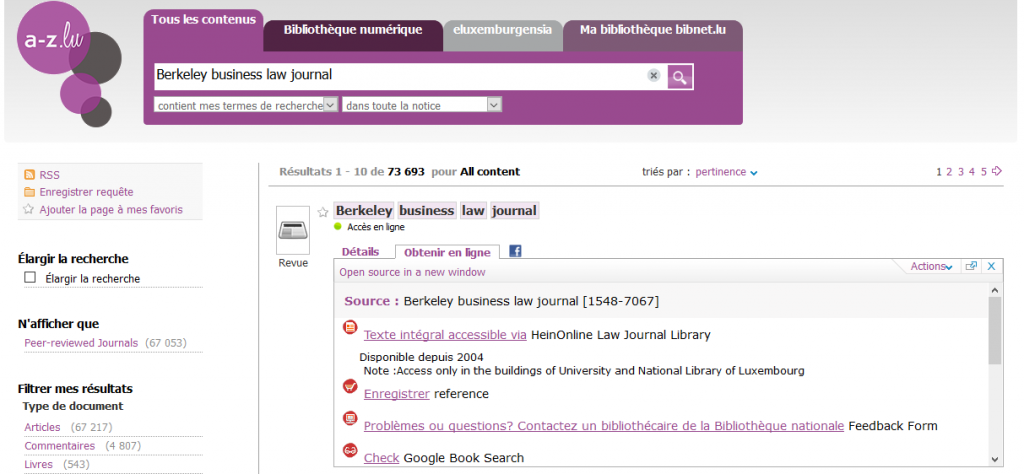
…did you know? Hein Online Journals now indexed in a-z.lu

HeinOnline is a premier online database containing thousands of titles of legal history and government documents in a fully searchable, image-based format. HeinOnline bridges the gap in historical research by providing comprehensive coverage from inception of more than 2,400 law-related periodicals.

Beneath a big collection of current law journals, you have access to

  • all U.S. treaties, whether currently in force, expired, or not yet officially published
  • the Legal Classics with more than 9,100 works from some of the greatest legal minds in history, including Joseph Story, Jeremy Bentham, William Blackstone, William Holdsworth and many more!
  • the English Reports which deliver exact page images of the original bound reprint edition, containing more than 100,000 cases, together with the Indexes and Book of Charts.

We’ve now indexed more than 3.000 titles from Hein Online, so if you are searching an article or journal in a-z.lu, results from HeinOnline can easily be found.


All content on HeinOnline is available in the buildings of the University of Luxembourg and the National Library of Luxembourg.

If you need any further help, please have a look at HeinOnline’s useful user guides and videos: https://help.heinonline.org/

Nouvelle interface Strada lex

Après quelques problèmes techniques, finalement, nous vous présentons la nouvelle interface Strada lex.

Plus ergonomique et toujours plus performant, Strada lex vous offre une recherche plus intuitive et des résultats pertinents avec efficacité et rapidité.

Faites le tour du propriétaire…. en vidéo !

Quelles sont les principales nouveautés ?

  • Une interface simplifiée et plus conviviale pour un aperçu rapide des résultats et une navigation facilitée dans les documents
  • Un nouveau filtre thématique pour affiner vos résultats suivant la branche du droit qui vous intéresse
  • Chaque jour, l’essentiel de l’actualité rédigée par notre équipe de journalistes juridiques

Afin de vous familiariser avec ces nouveautés, vous trouverez ici une aide rapide à télécharger.

Strada lex YouTube channel avec tutoriéls vidéo


Strada lex continue d’évoluer :

Vous devez citer un document trouvé dans Strada lex ? Deux clics suffisent grâce à la nouvelle fonctionnalité « Copier la référence » :

  • Cliquez sur le bouton « … » situé sous le document que vous souhaitez citer
  • Cliquez ensuite sur « copier la référence ». La référence bibliographique complète est ainsi copiée dans votre presse-papier ! Il vous suffit ensuite de la coller dans votre document (ctrl + v)

Ebrary ebooks platform migration to Ebook Central

From July 13th the ebooks available on the ebrary platform will be migrated to the new ProQuest Ebook Central platform.

There might be some access issues during 12th July.

  • If you previously created an account on the ebrary system, you will be notified by mail for further actions.
  • If you do not have an account in the Ebrary system, you can create your Ebook Central user account here.

An Ebook Central user account is only needed in case you want to download an entire ebook, create personal lists or add personal comments to ebooks.

Please note that the Library card user account is different from Ebook Central account.

Special Software needed:

  • To download an entire book you need Adobe Digital Editions.
  • To download to iOS and Android devices, you need Bluefire Reader, which is free from the App Store and Google Play. You need to create a free Adobe ID to use Bluefire Reader.

For more information please access to the video tutorials Ebook Central training videos or visit the ProQuest Ebook Central LibGuide for a comprehensive guide to the new platform.

Don’t hesitate to contact us if you have questions help@findit.lu

JurisClasseur devient Lexis360

lexis360 logoLa plateforme numérique de l’éditeur juridique LexisNexis change d’identité : Jurisclasseur devient Lexis360. Ce nouveau portail a été spécialement conçu pour les étudiants en droit.

Avec plus de 2 millions de décisions de Jurisprudence, Lexis 360® offre la 1ère base de jurisprudence complétée d’un enrichissement éditorial unique :

  • sélection et hiérarchisation depuis 2008 des décisions
  • 900 000 abstracts et résumés JurisData
  • chainage des décisions antérieure et postérieure
  • liens vers les JurisClasseurs et les articles de revues

Lexis 360® propose le plus large fonds encyclopédique avec 60 JurisClasseurs : exhaustivité des matières traitées, fiabilité et profondeur des commentaires rédigés et signés par des spécialistes de chaque matière. Vous pouvez ainsi sécuriser toutes vos prises de décision.

Avec 32 revues dont 7 hebdomadaires, Lexis 360® fournit une information fiable, réactive, pratique et synthétique sur l’ensemble des matières de droit. Les 5 éditions de la Semaine Juridique sont accessibles dans Lexis 360®.

  • Plus de 17 000 contenus pratiques et synthétiques complètent l’offre Lexis 360® afin de vous faire gagner du temps :
  • 780 synthèses résument l’état du droit sur une matière, orientent dans les fascicules JurisClasseurs et informent sur l’actualité de la matière.
  • Près de 1 400 fiches pratiques  rédigées et signées par des praticiens vous permettent d’élargir ou d’actualiser vos connaissances sur un thème, ou de mettre en œuvre facilement une nouvelle réforme, par exemple : Procédure devant le juge de la mise en état
  • Des fiches « Pratique professionnelle et développement » répondent quant à elles aux questions posées par l’exercice pratique du métier d’avocat.
  • 13 000 formules vous permettent de sécuriser la rédaction de vos actes et de gagner en productivité.

Pour vous familiariser avec la nouvelle plateforme, des tutoriels vidéos sont disponibles ici.

Matières couvertes Lexis360 – vous avez accès à tous les contenus affichés dans le tableau

Support formation Lexis360

Accéder Lexis360

Pour des raisons de licences, Lexis360 peut seulement être consulté dans les bâtiments (réseaux) de la Bibliothèque nationale et l’Université du Luxembourg.

They’ve Sharedit! Springer Nature’s content sharing initiative

sharedit v1Springer Nature is delighted to announce that it has rolled out its free content sharing initiative, SharedIt, across its entire owned portfolio of over 1,300 journals and an additional 1,000+ co-owned and partner-owned journals. This allows researchers and authors to easily and legally share links to free-to-read versions of research articles anywhere, including social media platforms, repositories and personal websites.

How do I use it?

On the webpage of every article you’ll see a ‘Share’ or ‘ Share article’ option. If you click on this, for every article you have subscription access to , you’ll be provided with a SharedIt link, which you can copy and provide to other interested parties or post anywhere, including via social networks such as Twitter or on scholarly collaborative networks such as ResearchGate or Academia.edu, for non – commercial, personal purposes.

Are there any limits to how much can be shared?

Reasonable sharing is encouraged for non – commercial, personal use.

What is the benefit of using SharedIt?

SharedIt allows you to share research articles you or your institution have subscribed to in a legitimate way, facilitating discussions and collaborations with other researchers who may not have a subscription. SharedIt links will take readers to the most up to date, online version of the article. SharedIt also allows us to better understand how research is being used, as usage can be tracked, unlike when a PDF is downloaded and shared. Springer Nature is committed to making information about usage available on a regular basis.

A summary of the results of the first 12 – month trial of the content sharing initiative can be found here .

Access to

SpringerLink Journals and Ebooks

Nature Journals Collection